The Complete Guide to Online Privacy for Individuals
SecuredGuide Editorial
2026-03-10
Protecting your personal data online doesn't require technical expertise. This practical guide walks you through simple steps to dramatically improve your digital privacy.
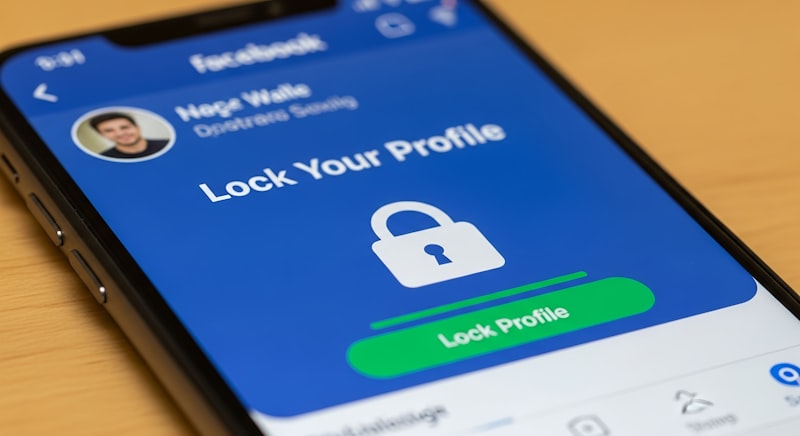
Privacy Is Not Paranoia
There's a persistent myth that caring about online privacy is a sign of having "something to hide." Nothing could be further from the truth. Privacy is a fundamental right — and protecting it is as reasonable as locking your front door or closing your blinds.
This guide gives you practical, actionable steps to improve your privacy online without needing a computer science degree.
Your Passwords Are Your Keys
Most people use the same password everywhere. This is catastrophically dangerous — when one service is breached (and they get breached constantly), every account using that password is compromised.
The Solution: Password Managers
A password manager generates and stores unique, complex passwords for every site you use. You only need to remember one master password.
Reputable options include Bitwarden (open-source, free), 1Password, and Dashlane. Any of them will dramatically improve your security posture immediately.
Action step: Install a password manager today and start migrating your accounts. Prioritize email, banking, and social media first.
Two-Factor Authentication: Your Second Lock
Even a strong, unique password can be stolen through phishing or data breaches. Two-factor authentication (2FA) adds a second verification step — something you have (your phone) rather than something you know (a password).
Types of 2FA from weakest to strongest:
- SMS codes (better than nothing, but SMS can be intercepted)
- Authenticator apps (Google Authenticator, Authy, Aegis) — much stronger
- Hardware security keys (YubiKey) — gold standard for high-value accounts
Action step: Enable 2FA on your email account immediately. This single action prevents the vast majority of account takeovers.
Browse With Intention
Your browsing activity is a detailed map of your interests, health concerns, finances, politics, and relationships. It's collected by advertisers, data brokers, and occasionally governments.
Practical Browser Hygiene
- Use Firefox or Brave instead of Chrome for everyday browsing
- Install uBlock Origin — the most effective ad and tracker blocker available
- Use private/incognito mode for sensitive searches
- Consider a VPN for public Wi-Fi and to prevent your ISP from profiling your activity
Search Engines That Don't Track You
Switch your default search engine to DuckDuckGo or Brave Search. You'll get good results without your searches being stored and sold.
Secure Your Devices
Keep Everything Updated
Software updates are primarily security patches. Delaying them leaves known vulnerabilities open for attackers to exploit. Enable automatic updates for your operating system and applications.
Encrypt Your Storage
Both Windows (BitLocker) and macOS (FileVault) offer full-disk encryption. Enable it. If your laptop is stolen, encrypted data is useless to the thief.
Lock Your Screen
Use a strong PIN, password, or biometric lock on every device. Enable automatic lock after 30-60 seconds of inactivity.
Social Media: The Data Goldmine You're Giving Away
Social media platforms are surveillance businesses. Your posts, likes, location check-ins, and connections are analyzed and sold.
Steps to reclaim some control:
- Audit and restrict app permissions in your account settings
- Turn off location sharing for social apps
- Review and remove third-party apps with access to your accounts
- Consider whether you need accounts you no longer actively use
Email: The Master Key to Everything
Your email account can reset virtually any other account. Protect it like Fort Knox:
- Strong, unique password
- 2FA enabled (preferably with an authenticator app)
- Recovery email and phone number kept up to date
- Consider a privacy-focused email provider like ProtonMail for sensitive communications
What You Can't Control — And How to Minimize It
Some data collection is unavoidable. Data brokers aggregate public records, social media profiles, and other sources to build detailed profiles on virtually every adult.
You can submit opt-out requests to major data brokers (Spokeo, Whitepages, BeenVerified), though this is time-consuming. Services like DeleteMe automate this process if you prefer to pay for convenience.
Starting Today
You don't have to do everything at once. Start with the highest-impact steps:
- Install a password manager
- Enable 2FA on email
- Install uBlock Origin in your browser
- Enable full-disk encryption on your computer
These four steps address the most common and most damaging privacy and security risks for the average person.
Privacy is a practice, not a destination. Even small improvements compound over time into a meaningfully more secure digital life.
securedguide.com is available
Acquire this premium domain and build your brand on a foundation of trust and authority.
Inquire About Acquisition